
Like any type of art, game art is shaped by the tools artists use. The most critical tool is obviously the game engine, which brings 3D models, textures, lighting, animation, effects, and player interaction together in real time.
For years, game artists often had to create artwork outside the engine, then optimize, import, and test it repeatedly until it was just right. Unreal Engine 5 (UE5) changes that intensive workflow, so that artists can make more creative decisions directly inside the engine.
With features that support highly detailed geometry, dynamic lighting, and real-time scene building, UE5 is the upgrade aspiring game and 3D artists have been waiting for. And the upgrades affect more than just the final presentation; they literally change how artists think about detail, lighting, environment building, portfolio work, and real-time production.
But as with any significant software change, there’s a steep learning curve. Students ready to unlock UE5’s full potential may benefit from having those new features explained in artist-friendly terms.
Why Unreal Engine 5 Matters for Game Artists
With older game art workflows, artists often had to reduce visual complexity early. High-resolution sculpts needed lower-poly game models. Fine details were baked into normal maps. Environment assets often required multiple levels of detail. Lighting could involve long bake times before artists could judge the final mood of a scene.
Those skills still matter; UE5 doesn’t remove the need for clean assets, readable silhouettes, optimized scenes, or production discipline. But it does change how much visual decision-making can happen directly inside the engine.
So instead of treating the engine as the final place where assets are assembled, artists can now use UE5 as part of their creative process. They can test lighting, materials, camera angles, scale, composition, and atmosphere much earlier and easier. This, in turn, makes creating game art with UE5 feel more natural, immediate, and connected to the final player experience.
UE5 empowers artists with faster, flexible,
more visual ways to build, test, light, and present game worlds.
Nanite and Lumen Explained
When Epic Games first introduced Unreal Engine 5, it highlighted Nanite and Lumen as two of the engine’s major new technologies—so let’s explore what those are!
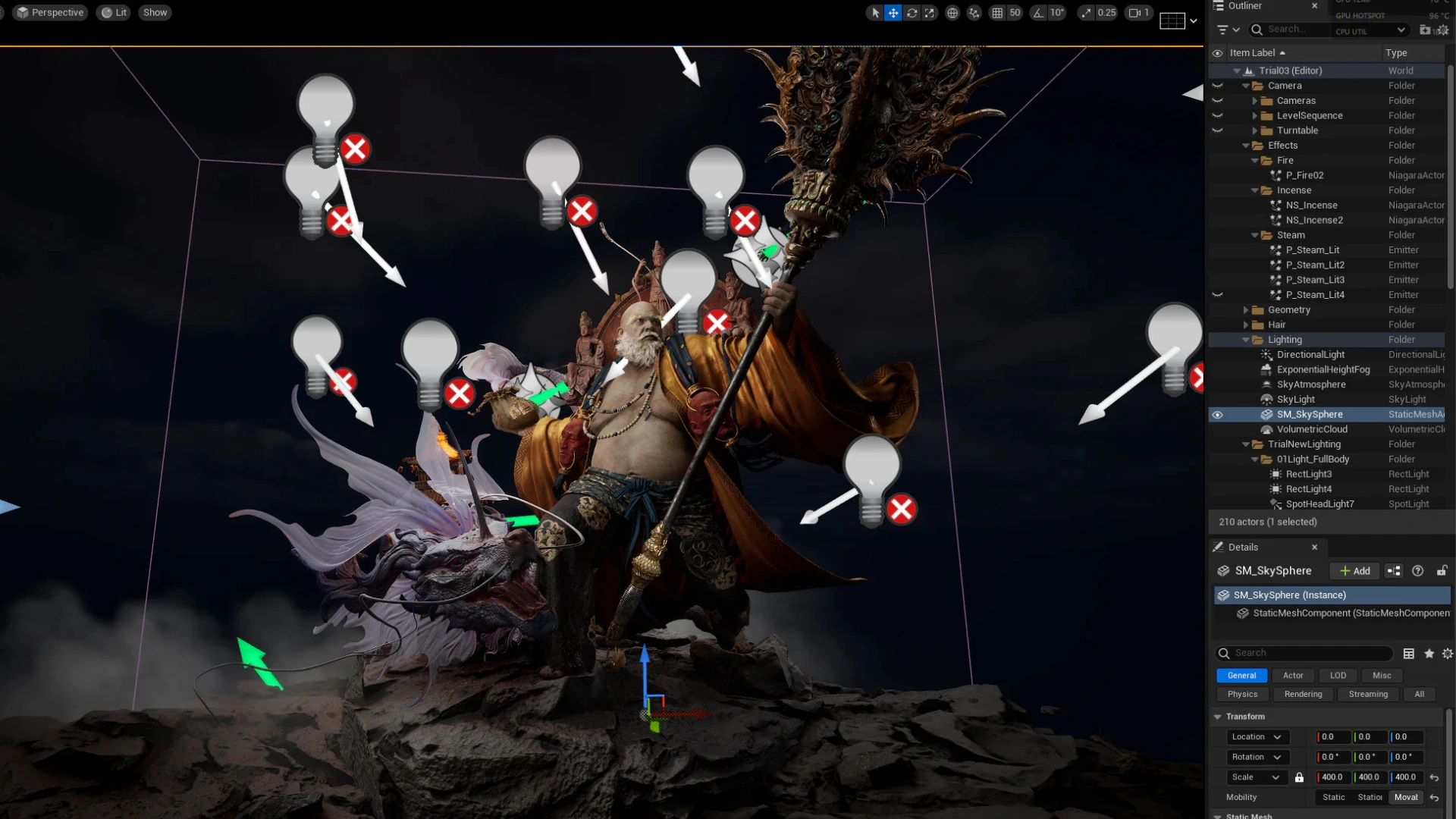
Nanite is UE5’s virtualized geometry system. It allows scenes to use super high levels of geometric detail while the engine manages how that detail is displayed in real time.
As the company explains, “Nanite virtualized micropolygon geometry frees artists to create as much geometric detail as the eye can see. Nanite virtualized geometry means that film-quality source art comprising hundreds of millions or billions of polygons can be imported directly into Unreal Engine—anything from ZBrush sculpts to photogrammetry scans to CAD data—and it just works.”
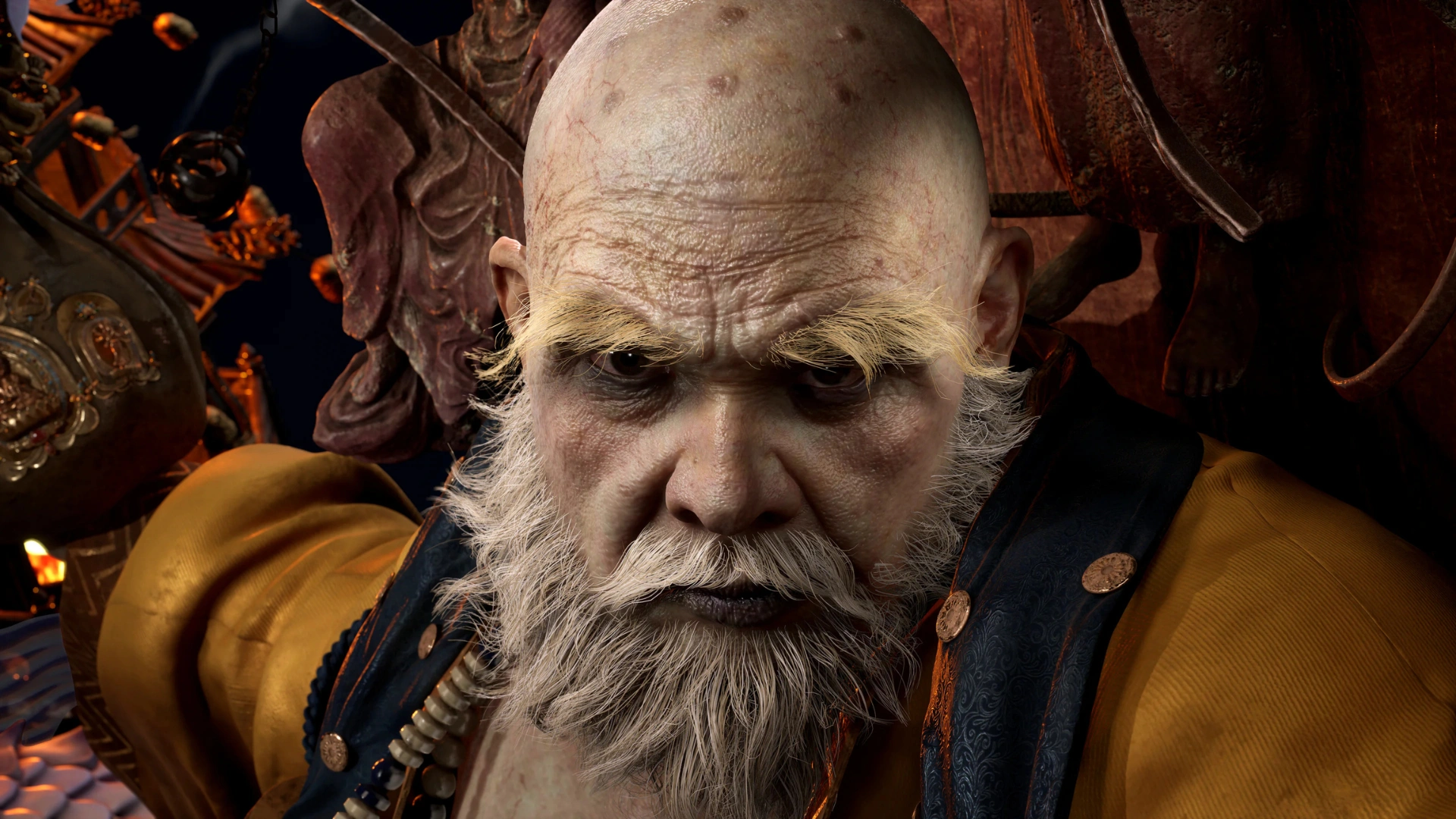
For environment artists, hard-surface artists, and prop artists, this makes a huge difference. Rocks, ruins, architecture, scanned objects, statues, and dense environmental details can often keep more of their sculpted or modeled complexity than traditional workflows allow.
Then comes Lumen, UE5’s dynamic global illumination and reflections system. For artists, lighting is obviously one of the most powerful tools in a game scene. It guides attention, creates mood, supports story, and helps a space feel believable.
Lumen enables artists to play around with light changes and see results faster. From moving a light or adjusting a material to opening a space or adding an emissive surface, scenes can respond in real time. This makes lighting more of an active part of look development.
These powerful new tools don’t replace artistic judgment, but they definitely help artists test ideas faster, create richer scenes, and make better decisions inside a real-time workflow.
What Else Has Changed in UE5?
UE5 also supports a broader production workflow. For example, recent feature discussions point to continued improvements in world building, rendering, animation, virtual production, procedural workflows, and large-scene management.
For game artists, that means UE5 supports environment assembly, cinematic presentation, material testing, lighting studies, playable prototypes, and portfolio scenes. It also helps artists understand how their work connects to designers, animators, technical artists, and programmers.
Why Learning UE5 Now Is a Career Advantage
Learning UE5 helps aspiring artists understand how game art moves from individual assets into real-time production. In a finished game, models, textures, lighting, materials, camera angles, and environments have to work together inside the engine. Artists who understand that process make better creative decisions because they’re seeing their work closer to how players will experience it.
This is crucial as UE5 becomes part of more major game projects. Current and upcoming Unreal Engine 5 games show how widely the engine is used across production, especially in visually demanding genres like RPGs.
For beginners, the best starting point is learning the basics:
- Viewport navigation
- Project organization
- Importing assets
- Placing objects
- Creating materials
- Lighting scenes
- Using cameras
Building small environments.
Next, artists can start testing Nanite and Lumen in practical ways, such as bringing in a detailed asset, changing the lighting, or studying how simple scenes respond in real time.
This kind of hands-on practice can make a portfolio much stronger. A finished UE5 scene shows more than a single asset render. It can demonstrate modeling, texturing, lighting, composition, atmosphere, technical awareness, and storytelling all in one place.
That’s the real career advantage because learning UE5 demonstrates you can move from asset creation to engine integration to final presentation, and that you understand how creative choices support player experience.
Building Industry-Ready Game Art Skills
The best game artists aren’t merely software users; they’re visual problem-solvers who understand anatomy, design, shape language, materials, lighting, performance, and production expectations. UE5 gives artists a powerful space to bring those skills together.
But it often requires structured training to master those skills. That’s where 3dsense Media School’s Diploma in Game Art & 3D Animation program comes in.
Our immersive educational pathway helps students build real-world skills in game art, 3D modeling, animation, real-time workflows, and portfolio development. The program includes hands-on training with UE5, with a focus on creating production-ready assets and a professional portfolio.
If you’re ready to build the skills, workflow, and portfolio needed for modern game art production, check out the 3dsense Diploma in Game Art & 3D Animation program today.



 Chat Now